The Madison Greenhouse Store is a locally owned plant shop on Willy Street in Madison, Wisconsin, and a well-loved part of its community. As a traditional store, though, it rarely reaches the plant owners and beginners who never walk through its door. With the store as the real client for a UX course, I designed a mobile app that builds a bridge between the store and Madison’s plant community, and gives the store a new way to be found online.
The app brings an online store, photo plant diagnosis and a community forum together. In usability testing, people found it easy to navigate and felt it met their needs for a garden store app, and their feedback led me to redesign how orders are tracked after checkout.
Read moreRead less about project background
I started by interviewing plant owners and people who want to start, then turned what I heard into personas, journey maps and a user flow. From there I sketched on paper, built digital wireframes and a clickable high-fidelity prototype in Figma, and refined it through usability testing.
Alongside the app, I created a new visual identity for the store, from its logo and type to a shared set of components.
Research
Listening to Madison’s plant community
I interviewed plant owners and people who want to start owning plants. The same four problems kept coming up. People don’t have time to visit regularly, the store’s hours don’t suit working adults, large or outdoor plants can’t be brought in for advice, and the community the store has built stays inside its walls. I turned what I heard into four personas, each with a different reason to reach the store.
Read moreRead less about Listening to Madison’s plant community
The interviews covered how people care for their plants, what kinds they own, where they turn for advice, what makes a good or a frustrating garden store visit, and how they shop online. I wanted to learn what to build, which problems mattered most, and how an app could solve them.
I then mapped each persona’s journey through the app to find where it could help. Sue’s journey pointed to order tracking and saved checkout details. Eddie’s pointed to a simple community forum he could search and post in. Paige’s called for filters such as indoor and pet-safe plants, plus in-store pickup. Seth’s called for easy posting and notifications when someone replies.
What I heard shaped most of the app’s features. The photo diagnosis and the community forum both came straight from these conversations.
Four pain points
Time
Not many people have enough time to visit the store regularly.
Availability
The store keeps typical business hours, so working adults have little flexibility to visit.
Accessibility
Customers can’t bring large or outdoor plants into the store for advice.
Community
The store has built a strong community at its location, but it doesn’t extend beyond it.
Four personas

Sue Suburbia
“My plants are like my second kids. I just need a little help keeping them happy and healthy.”
NeedsTo know when her order will arrive, so she can plan her schedule around it.
In the appOrder tracking inside the app

Eddie Elder
“My Sally loved taking care of our dahlias. I need to keep them alive for her.”
NeedsSomeone to ask about his dahlias, and a way through a catalog that overwhelms him.
In the appA community forum and product filters

Paige Postgrad
“I like having plants but Charmander keeps eating them!”
NeedsPlants that fit a small apartment and are safe around her cat.
In the appIndoor and pet-safe filters, with in-store pickup

Seth Software
“This is our first home together, and I want to make it beautiful with some greenery!”
NeedsAdvice he can trust for his first garden, without visiting during the work week.
In the appEasy posting, with a notification when someone replies
User flow
Map the app before designing it
Before sketching any screens, I mapped how the app fits together. Home is the shop, and photo diagnosis, a community blog and the account branch from it, so each persona’s need has a clear place to start. Products found through a diagnosis can go straight to the cart.
Read moreRead less about Map the app before designing it
Shopping runs from browsing and filtering to a product, the cart and checkout. The account keeps order status, recent orders and order details together, and the cart links to recent orders as well.
The blog lets people reply to posts, write their own and save the ones they want to return to. Search, the cart, notifications, and rewards and offers stay one tap away from home.
Shared entry points
SHOPPING
PLANT CARE
COMMUNITY
ACCOUNT
Early exploration
Sketch first, then check the structure in grey
I started on paper, working out what the photo diagnosis would need before committing to a design. Sketching kept every route open without getting attached to one idea. The digital wireframes then set the home screen, order tracking, rewards and the forum in grey, so I could check the structure before adding color and photography.
Read moreRead less about Sketch first, then check the structure in grey
The paper sketches follow the diagnosis from finding the tool to taking a photo, reading the advice and adding a product, which showed what the flow had to include.
The wireframes turned research findings into specifics. A dot on the cart icon confirms an item was added, a filter narrows the catalog without scrolling, the track order screen shows the delivery address and each stage of an order, and a progress bar on the rewards page shows how close the next reward is.
Paper sketches
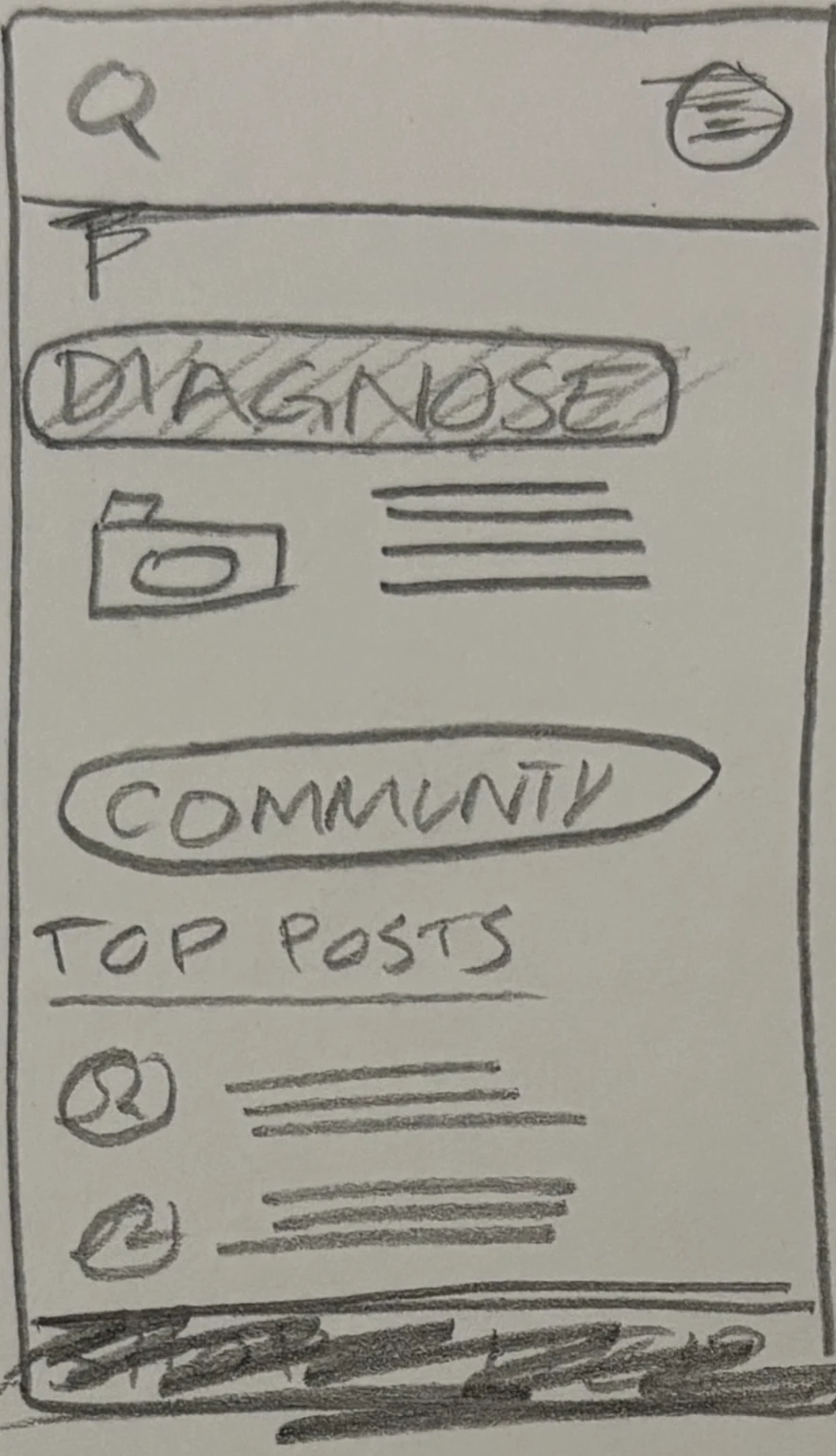
Find the tool
Diagnosis and the community share an early home screen.
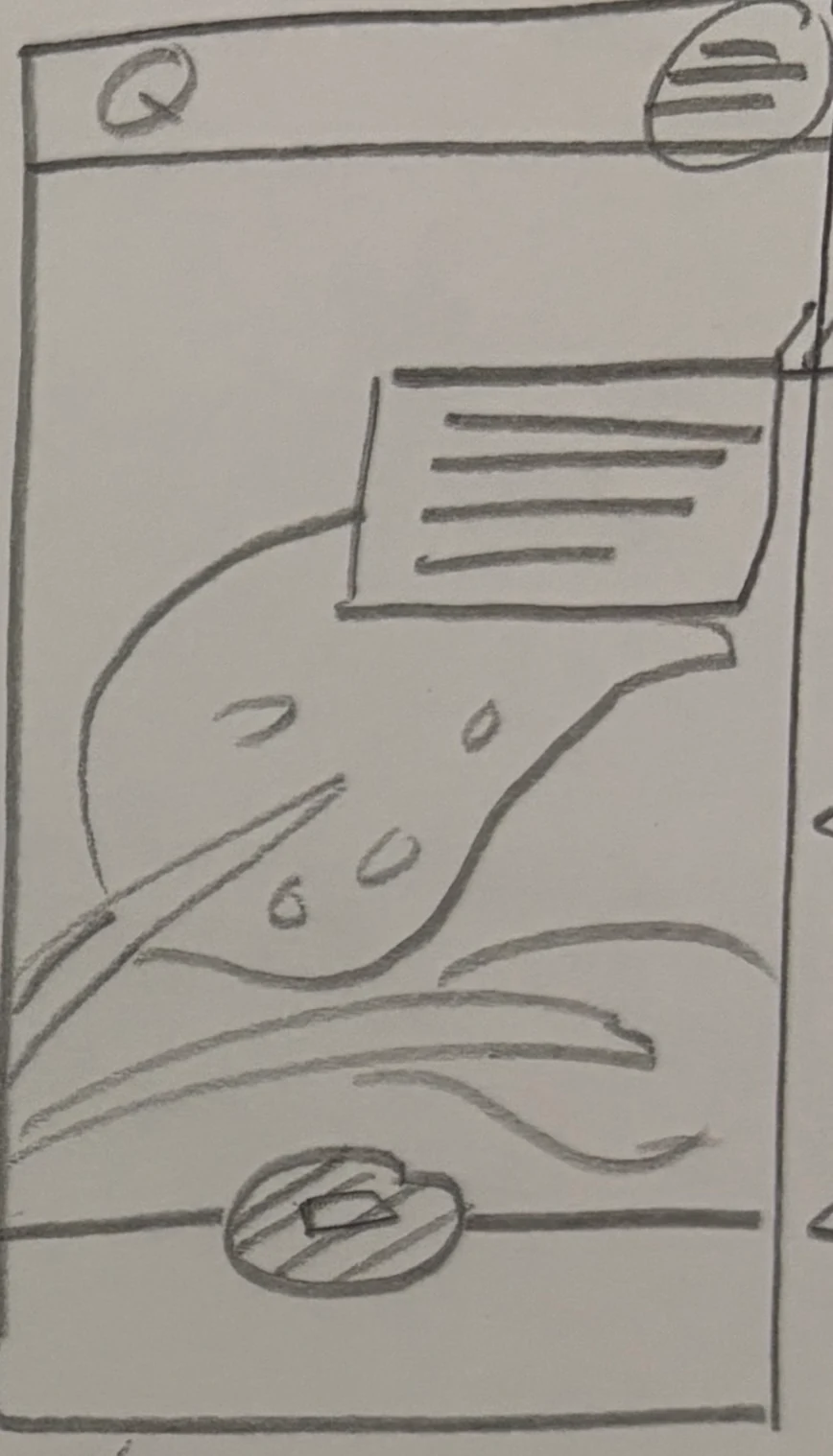
Take a photo
The plant itself becomes the starting point.
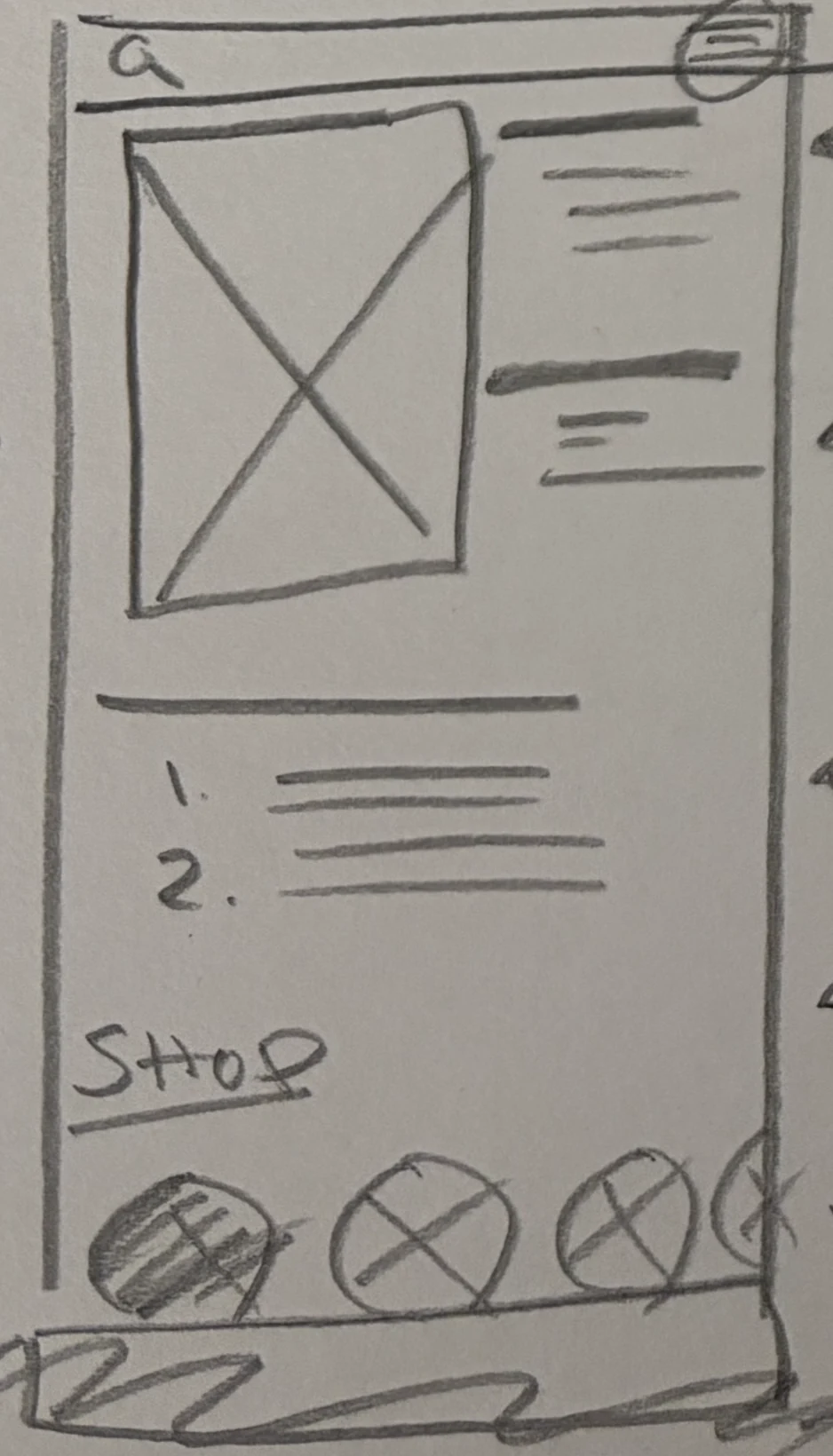
Read the advice
Care steps sit next to the result.
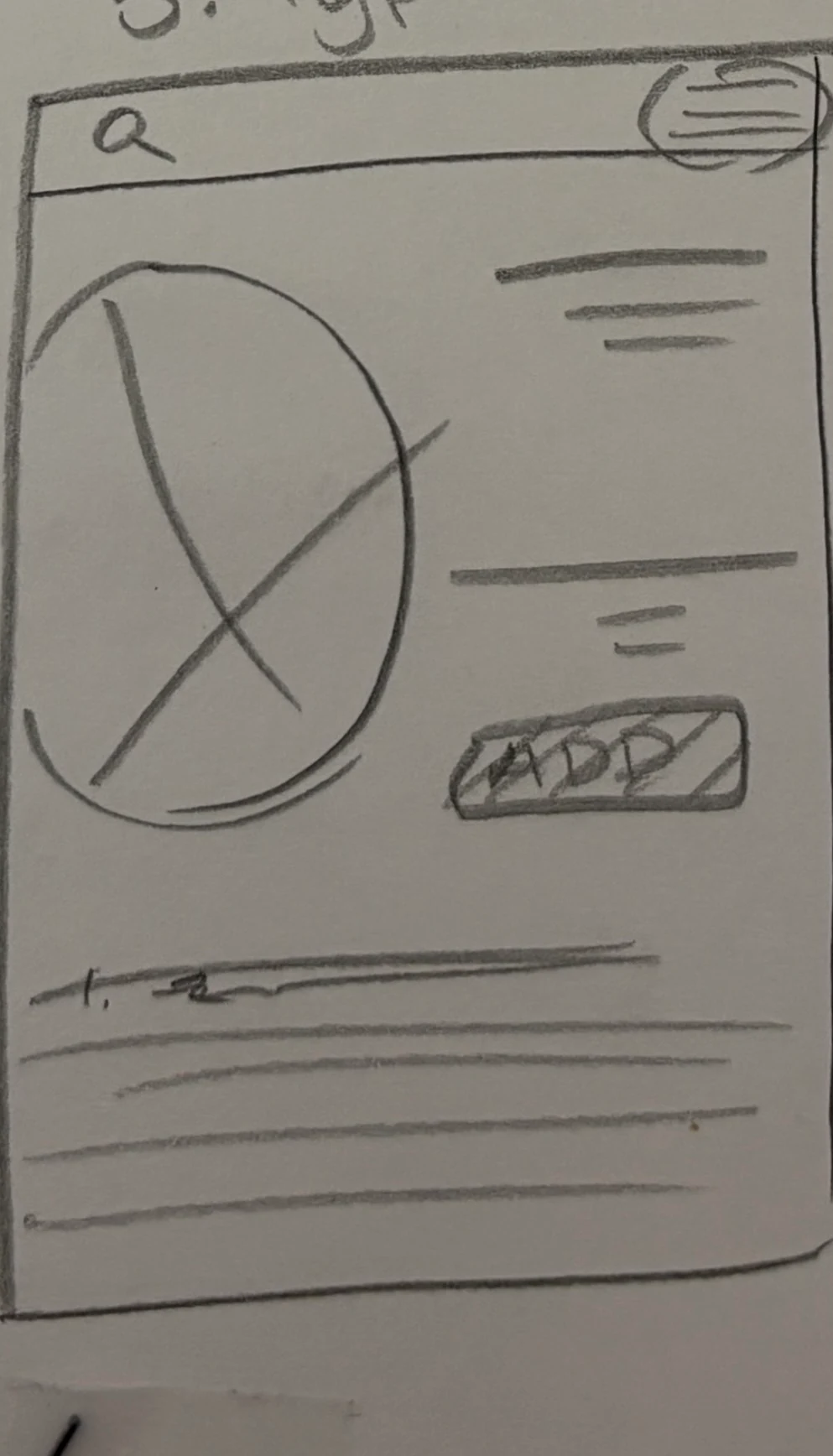
Add a product
The advice leads to something to buy.
Digital wireframes
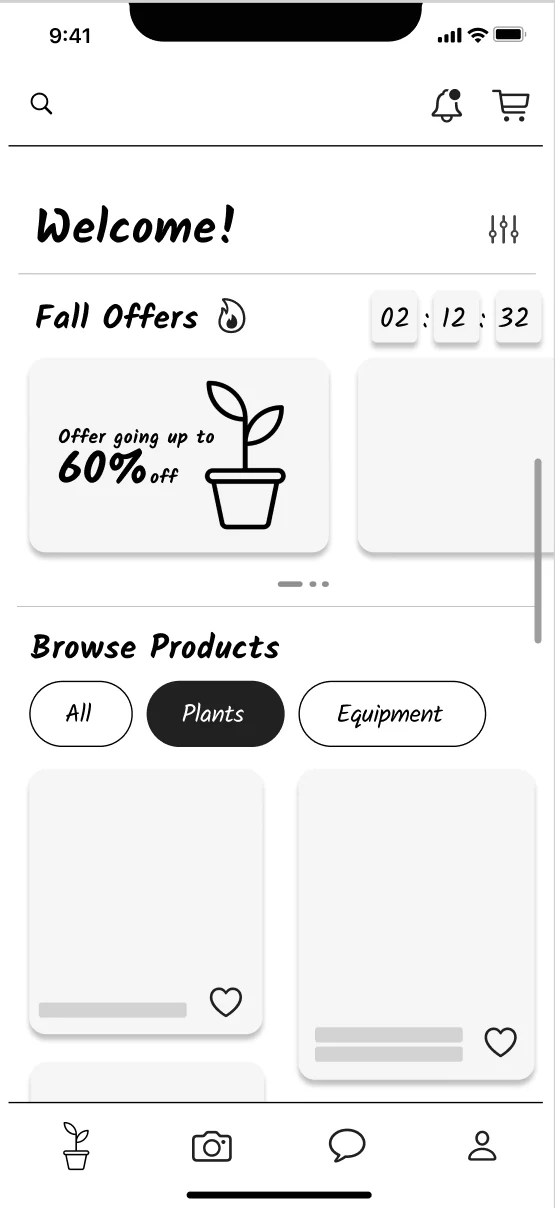
Home
Offers first, with a filter to narrow the catalog.
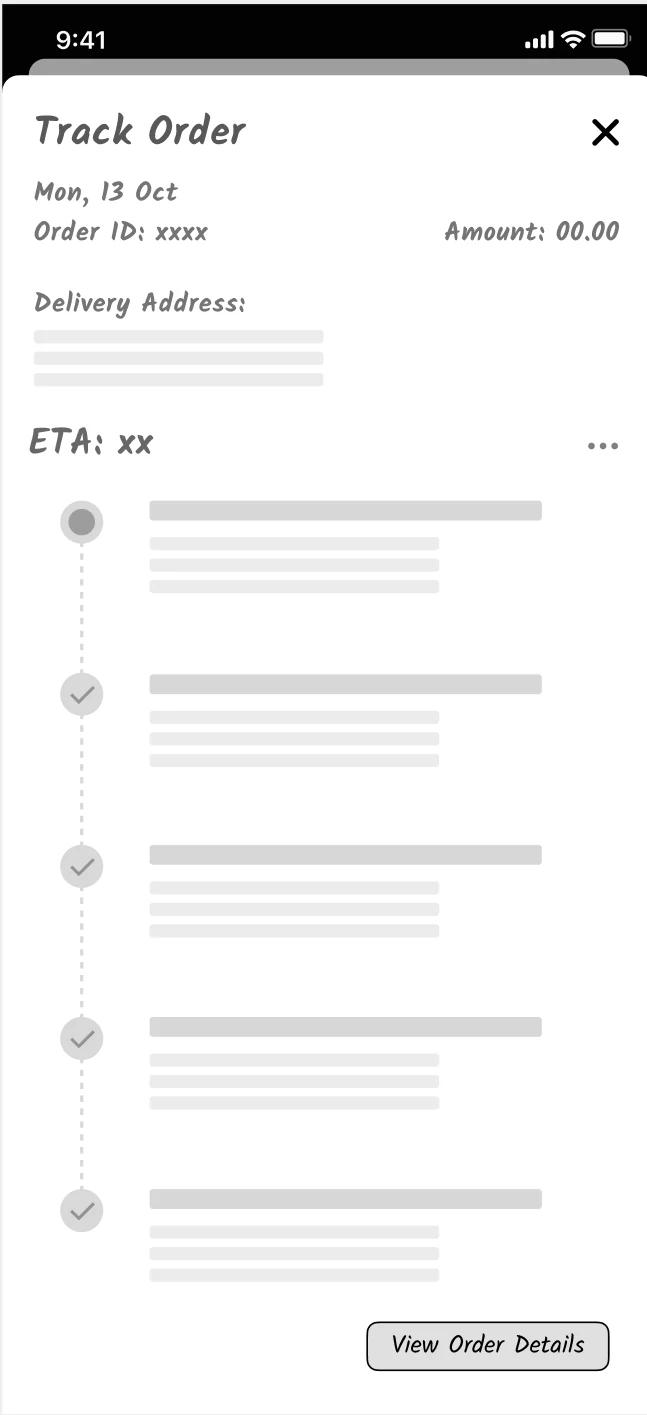
Track order
The delivery address and every stage of an order.
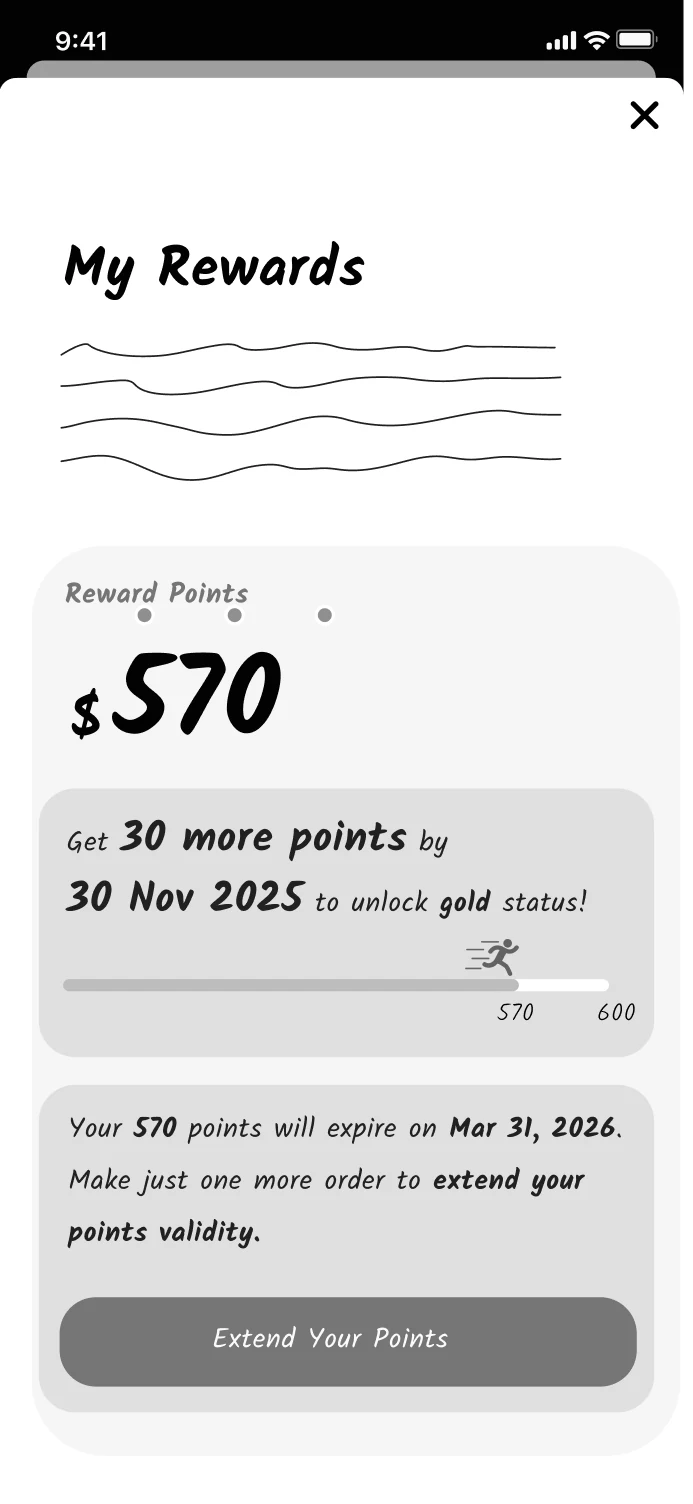
Rewards
Points, a progress bar and when they expire.
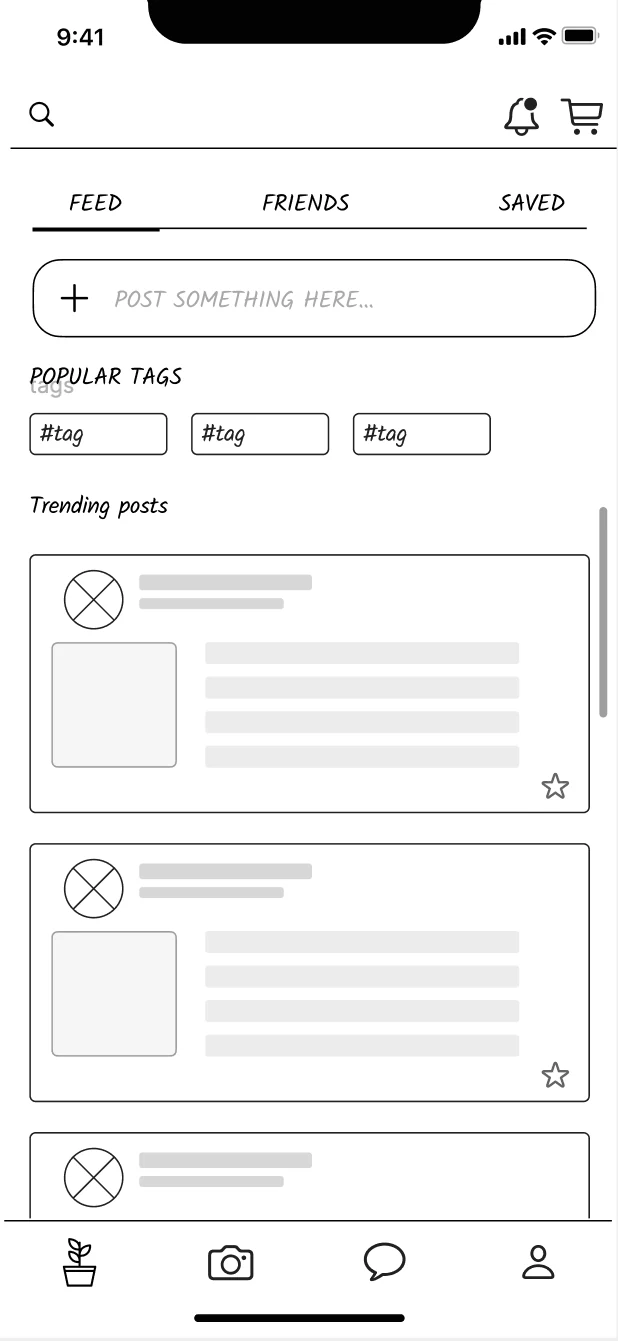
Forum
Tags and trending posts, later simplified.
Visual identity
A new identity for a local store
Part of the brief was to help more people find the store online, so I gave Madison Greenhouse a new identity for the app. A tulip mark, Rockwell headings with Raleway text and a palette of deep and soft greens carry across every screen, together with shared components for products, actions, rewards and order status.
Read moreRead less about A new identity for a local store
Using the same components everywhere means an action or a status looks the same in the shop, the diagnosis and the forum, so people only have to learn it once.
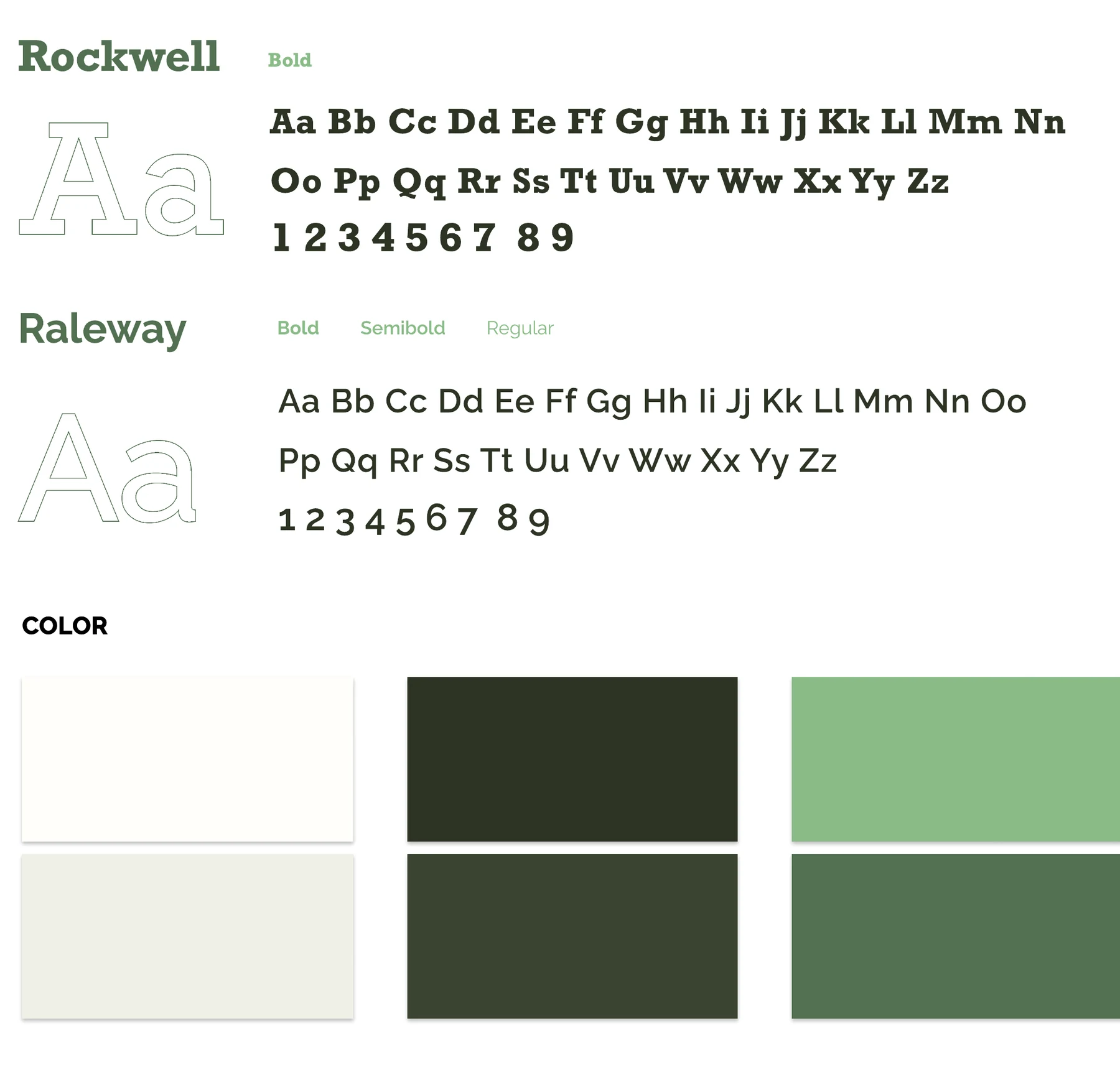
Rockwell headings, Raleway text and a palette of deep and soft greens.
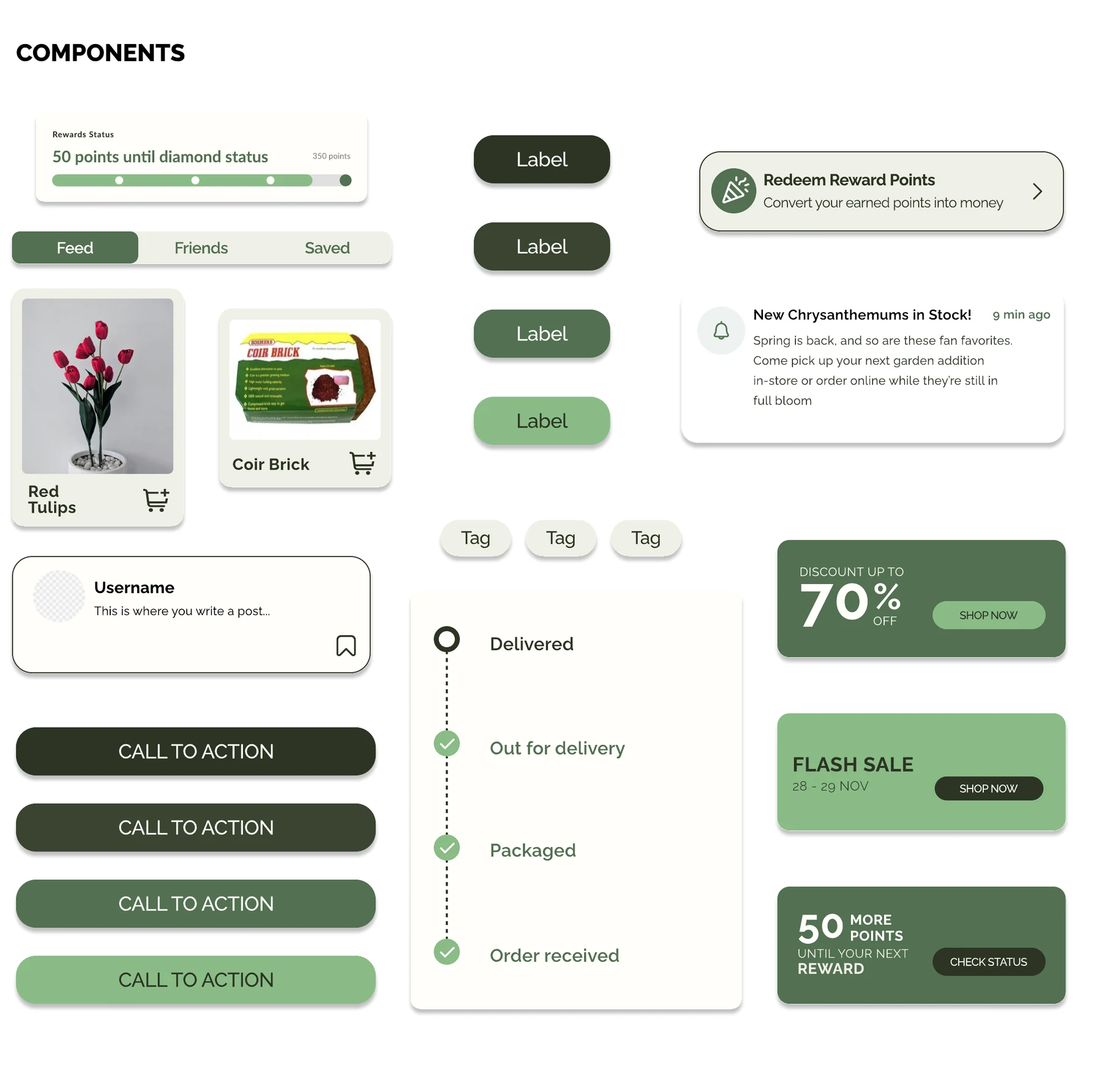
Product cards, buttons, rewards, notifications and order status share one set of parts.
Photo diagnosis
Diagnose a plant without carrying it to the store
Many people I interviewed said it’s hard to bring a big plant into a store to have it checked, and beginners often can’t tell what is wrong. So the app lets them photograph the plant instead. The diagnosis is split into small steps, and it ends with care advice and products from the store that can help.
Read moreRead less about Diagnose a plant without carrying it to the store
The tool is split into launching it, taking a photo and exploring the result, so each step asks for one thing. Each photo appears as a thumbnail as soon as it is taken. Markers on the photo point to three to five problem areas, so a beginner isn’t overwhelmed, and each one opens a plain explanation with care steps.
The result links straight to products that can help, so the advice turns into something people can act on, and the store gains a new way to reach them.
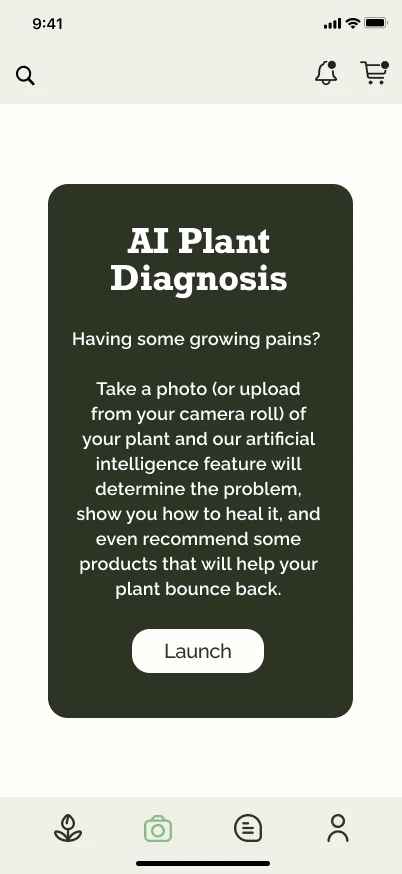
Launch
An introduction explains what the tool does before asking for a photo.
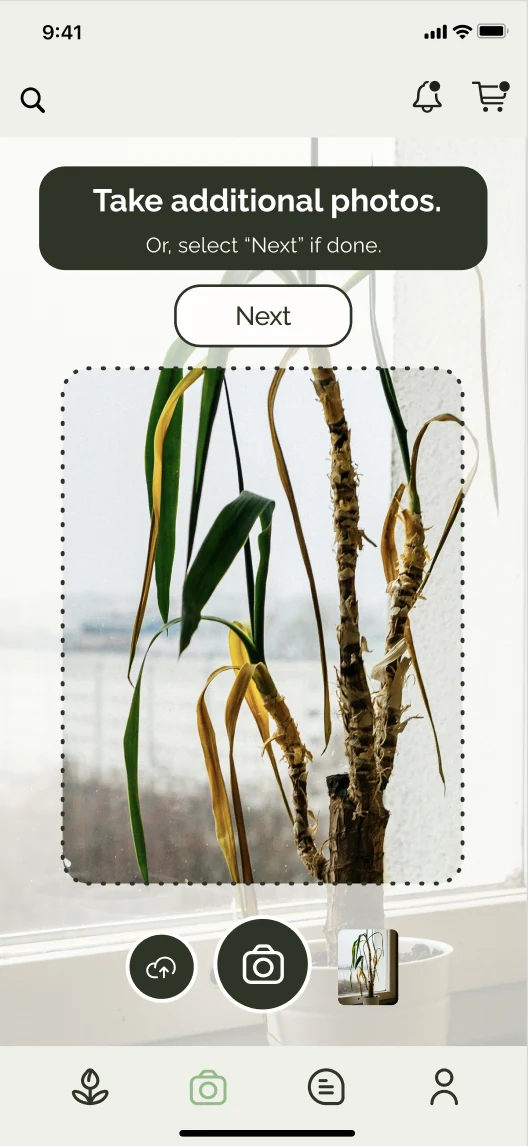
Take a photo
Each photo shows up as a thumbnail right away, and more angles can be added.
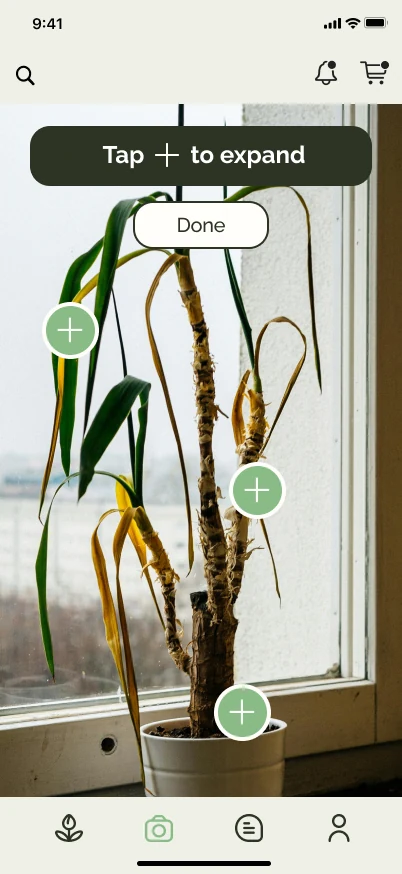
Explore
Markers point to the problem areas on the plant itself.
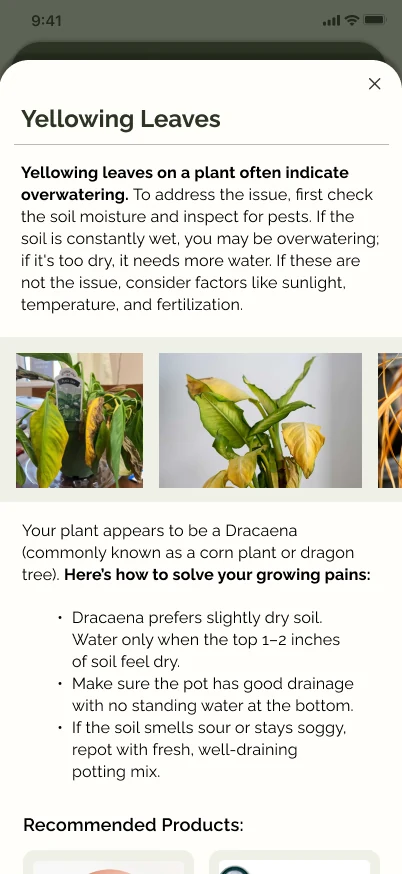
Get advice
Each issue explains the cause, the care steps and products that can help.
Community forum
A place to ask, for people who don’t know where to start
Some people want to own plants but don’t know where to begin, while experienced owners are glad to help. The forum brings them together. Anyone can post a question with a photo, and replies stay with the post. Peer feedback said my first version was cluttered, so I cut the tags and trending labels and sorted posts into Feed, Friends and Saved.
Read moreRead less about A place to ask, for people who don’t know where to start
I based the forum on apps people already use, like X, Threads and Reddit, so posting doesn’t have to be learned. A filled bookmark confirms a saved post, and a notification brings people back when someone replies.
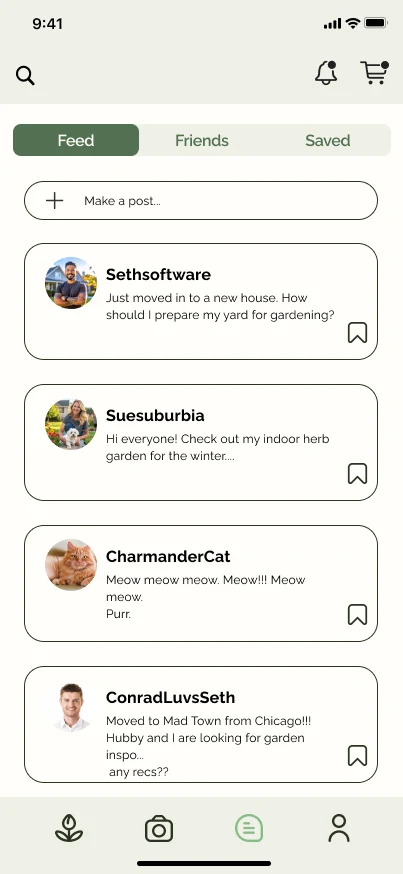
Feed
Posts are sorted into Feed, Friends and Saved.
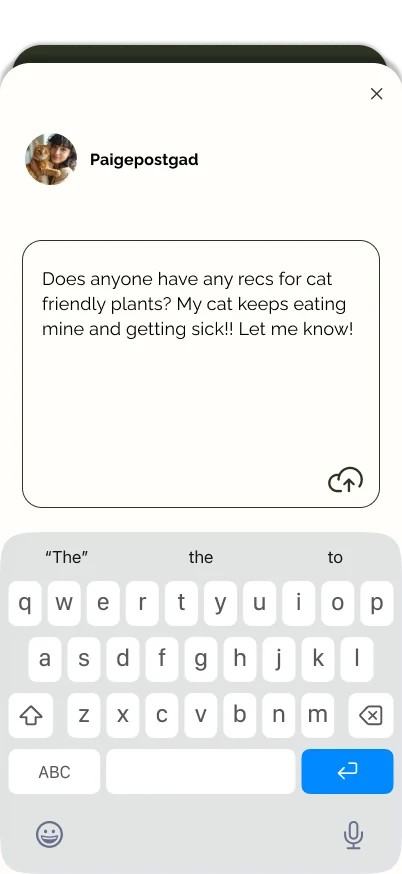
Ask
A question can include a photo of the plant.
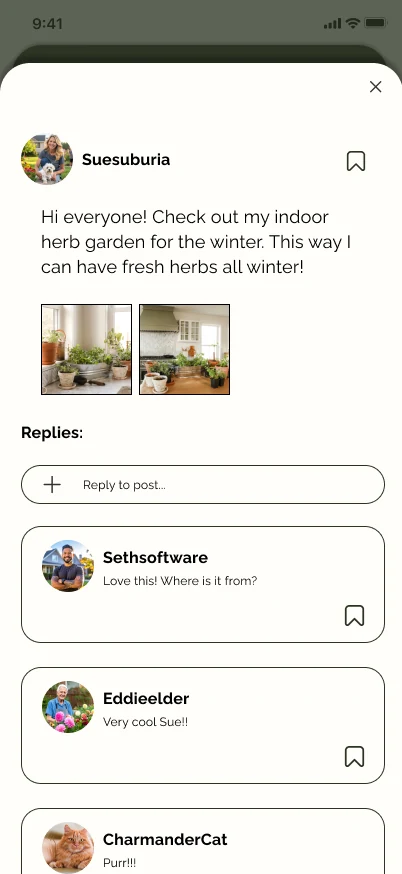
Discuss
Replies stay with the original post.
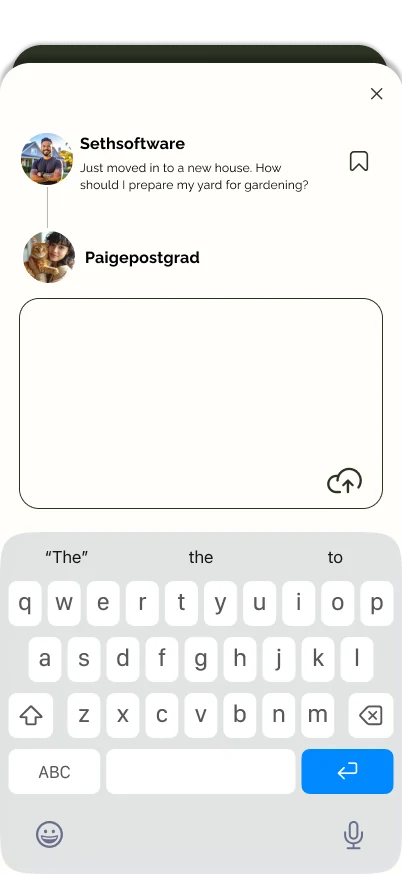
Reply
Replying uses the same simple composer.
Online store
Bring the store online
An online store lets new and returning plant owners buy from Madison Greenhouse at any time. The app opens on the shop, with rewards and offers at the top and products sorted into plants and equipment. Checkout follows the pattern people know from other shopping apps.
Read moreRead less about Bring the store online
A short animation and a dot on the cart icon confirm when an item is added. Labels such as Sale and Only 4 left show when a product is worth acting on, and a progress bar shows how close the next reward is.
One peer put it simply. “I’m definitely intrigued by the rewards and offers on this app. It makes me want to start buying right away.”
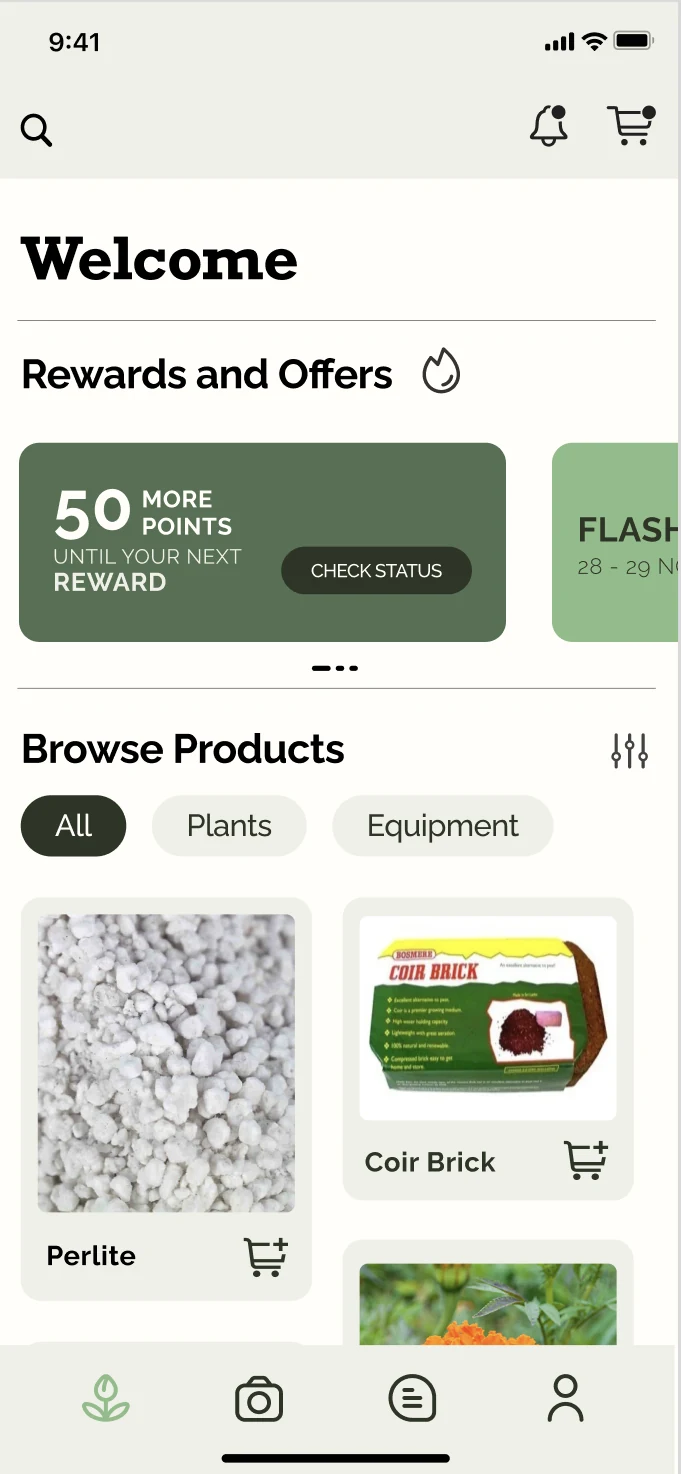
Shop
The app opens on the shop, with rewards and offers first.
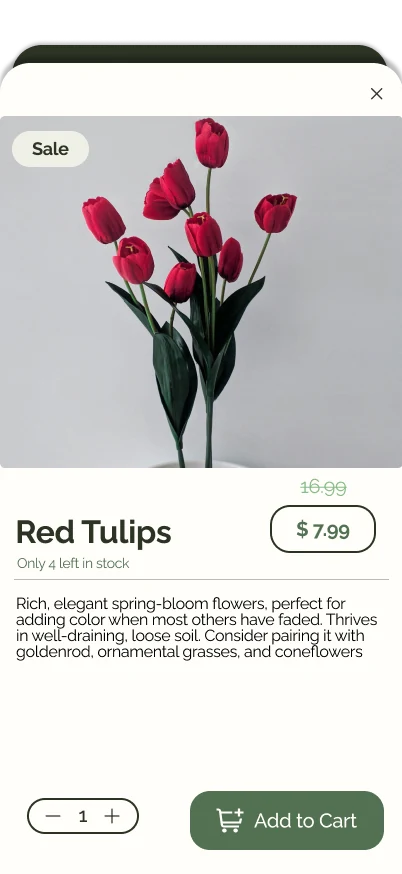
Product
Price, stock and quantity sit together.
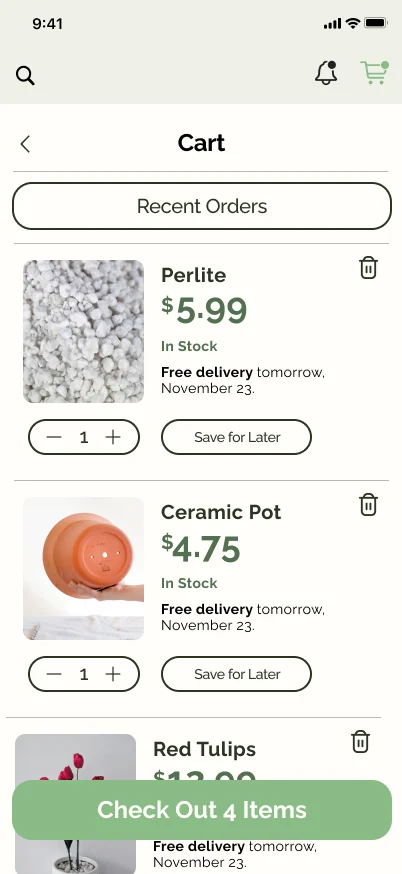
Cart
Quantities can change before checkout, and items can be saved for later.
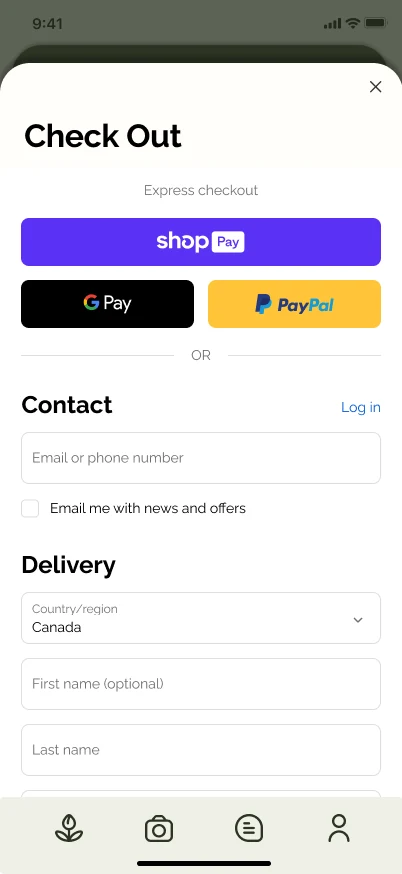
Checkout
Express payment first, then a familiar form.
Usability testing
Testing showed where orders got lost
In usability testing, people found the app easy to navigate and felt it met their needs for a garden store app. Most of the feedback was about shopping. One tester didn’t know where to track an order after buying a plant, so I redesigned what happens after checkout. Orders can now be followed inside the app, from received to delivered, without opening a delivery company’s website.
Read moreRead less about Testing showed where orders got lost
Testers also wanted to see where an order was being shipped, to find their most recent order on their profile, and to see item quantities without opening a product. The order screens now show the delivery address, the latest order’s progress and the items in every order. Making the product cards update as items are added is the next refinement.
What testing showed, and what changed
- What testing showed
One tester didn’t know where to track an order after buying a plant.
What I changedI redesigned the post-order flow so a shipment can be followed inside the app, from order received to delivered.
- What testing showed
The order status didn’t show where the order was being shipped.
What I changedThe order status now shows the delivery address next to the estimated arrival.
- What testing showed
Testers wanted their most recent order on their profile.
What I changedThe account page now opens with the latest order and its progress, and each past order lists its items.
- What testing showed
Testers wanted to see item quantities on the home screen without opening a product.
Next refinementProduct cards that update alongside the cart, so feedback appears where people shop.
The redesigned order flow
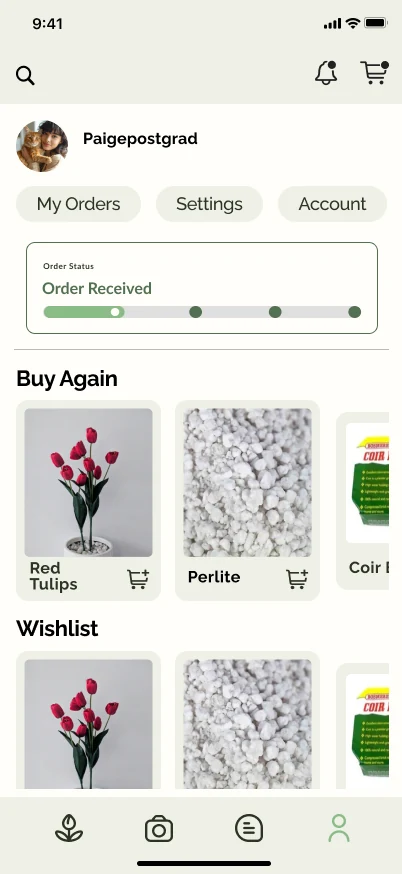
Account
The latest order and its progress come first.
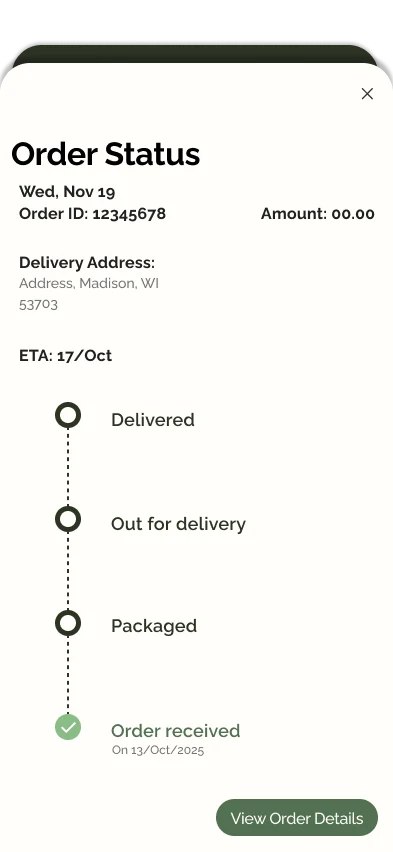
Order status
Every stage, the delivery address and the estimated arrival together.
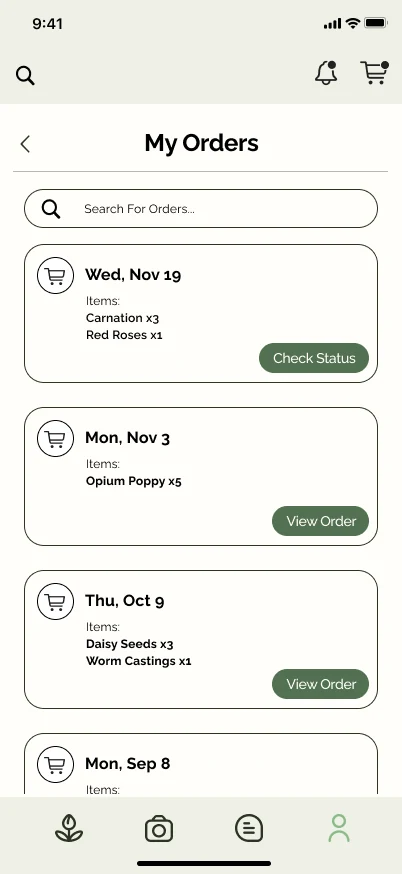
My orders
Past orders list their items and link to their status.
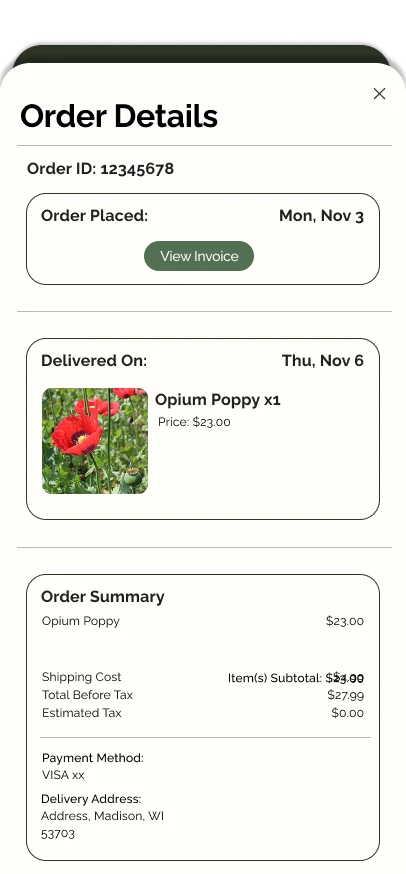
Order details
When it was placed and delivered, and a summary of the order.
Reflection
What I learned
This project taught me how much small moments of feedback matter. A cart animation, a filled bookmark or a clear delivery status tells people their action worked, and testing showed that the moments without one, like an order with nowhere to track it, were exactly where people got stuck. It also showed me that designing for a local store means designing for its community. The photo diagnosis and the forum came straight from what plant owners told me, and together they give Madison Greenhouse a way to reach people who might never have walked through its door.